
Help & Support
Translation guide, common error fixes, changelog and direct support channels for Finzo WordPress Theme.
Translating Theme
You can translate the Finzo theme to another language easily. You need to translate the following:
- Theme: Finzo
- Plugin: FinzoCore
There are many tools available for translation. The easiest way is to use the plugin "Loco Translate". Using this plugin, you can translate any WordPress theme or plugin that supports translation.
Step-by-step using Loco Translate
Step 1: Install and activate "Loco Translate"
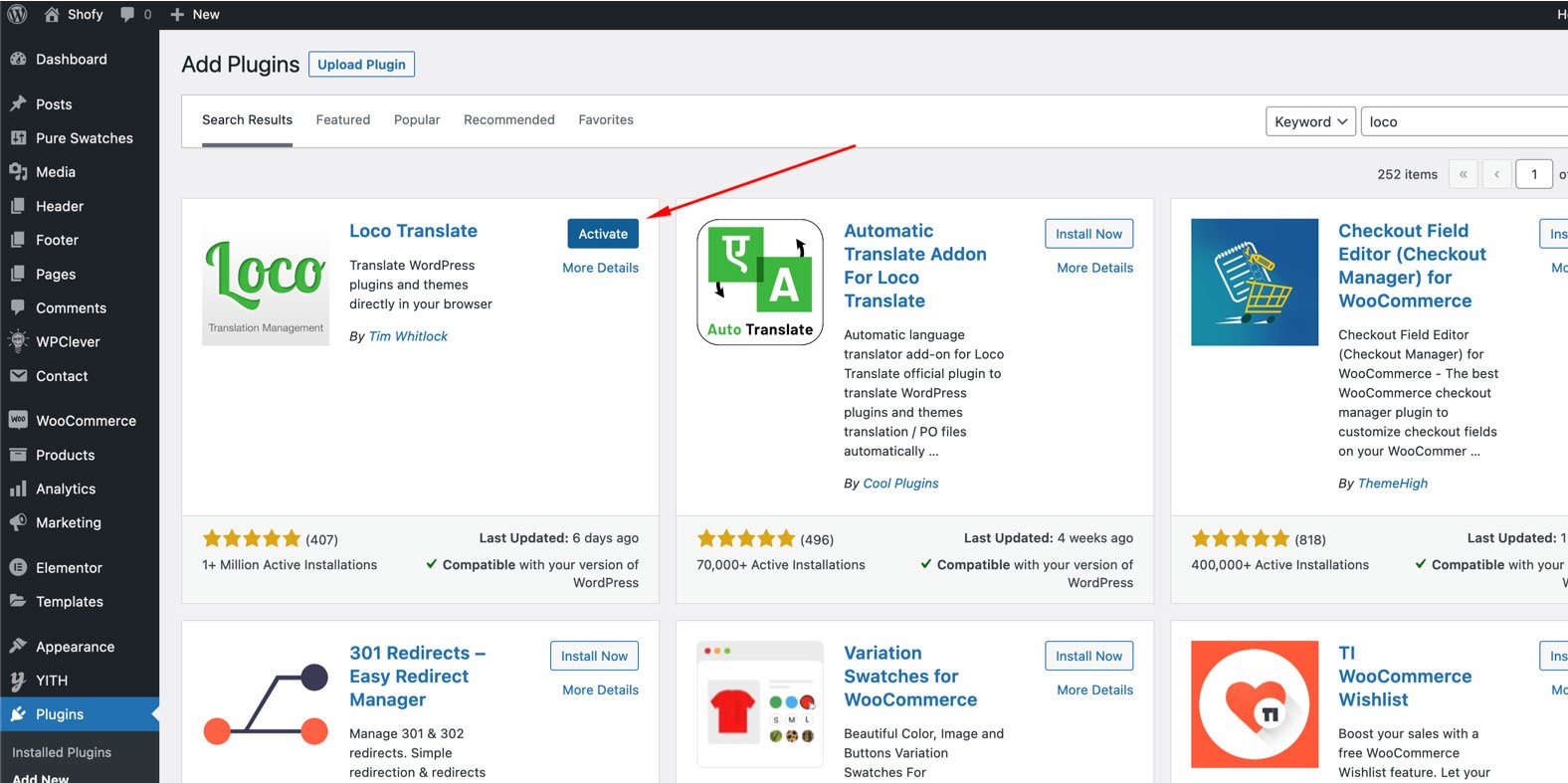
Step 2: Select the Theme or Plugin to translate
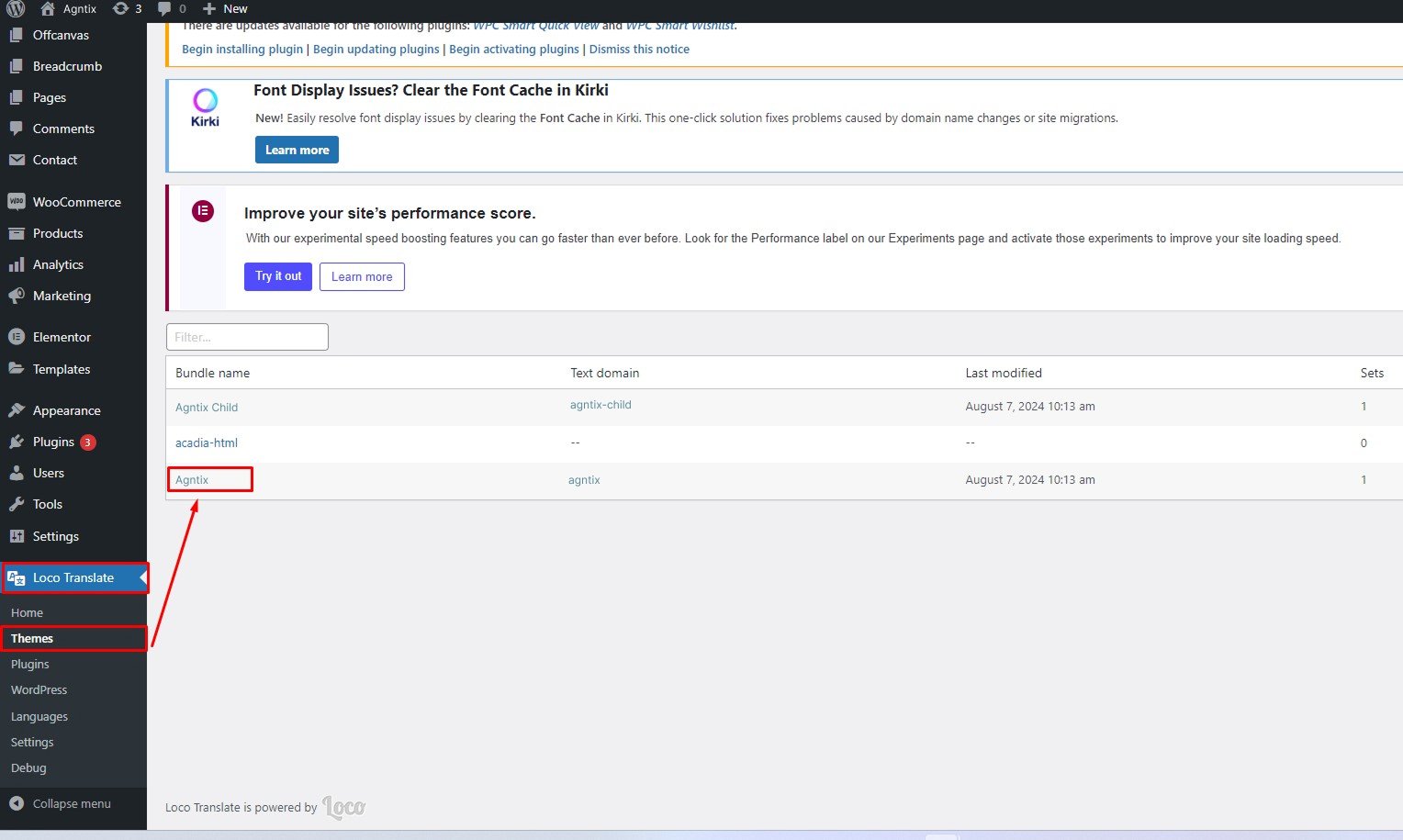
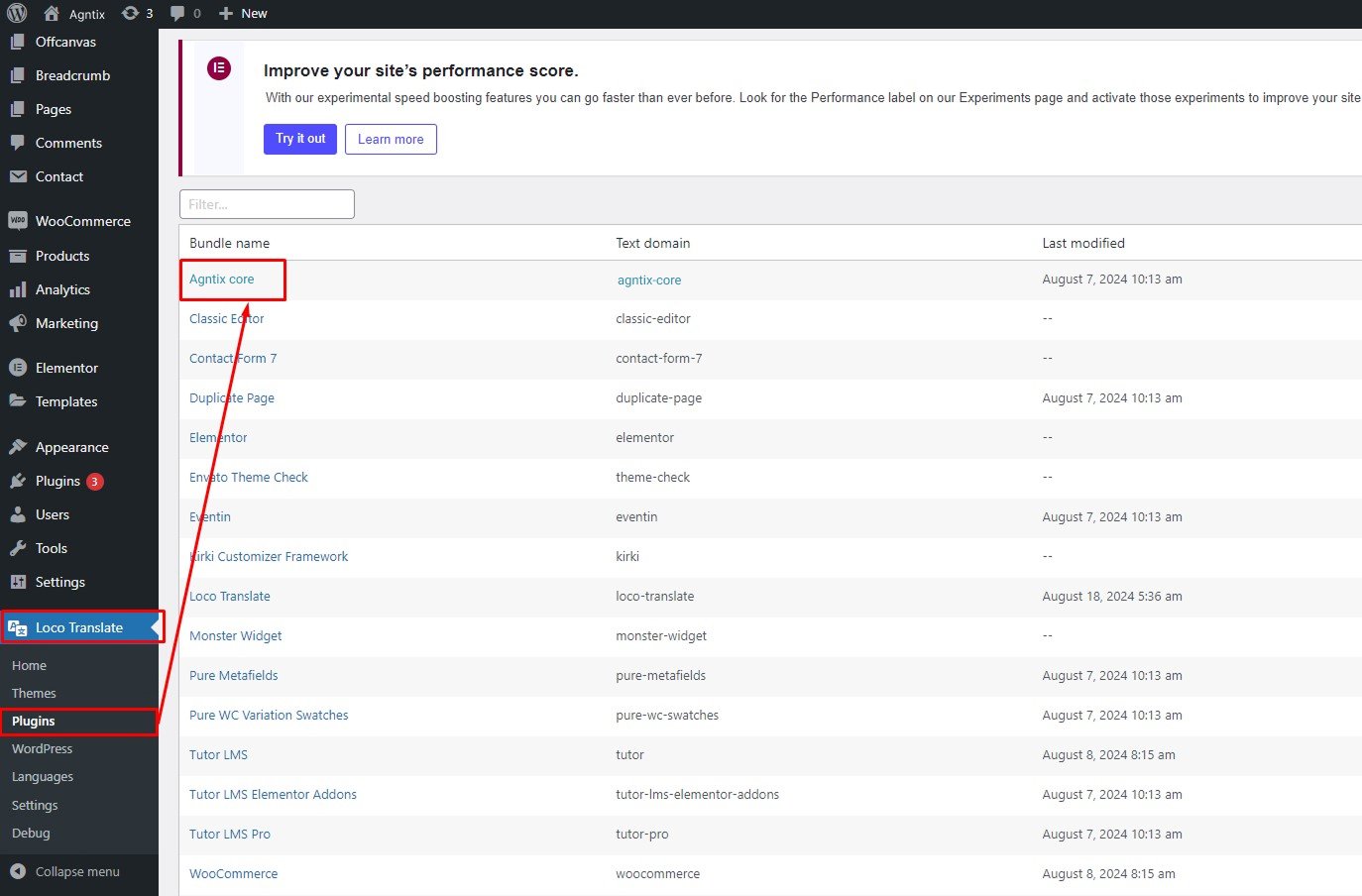
Select the theme or plugin you want to translate from the "Loco Translate" menu.
Step a: Theme Translate
Step b: Plugin Translate
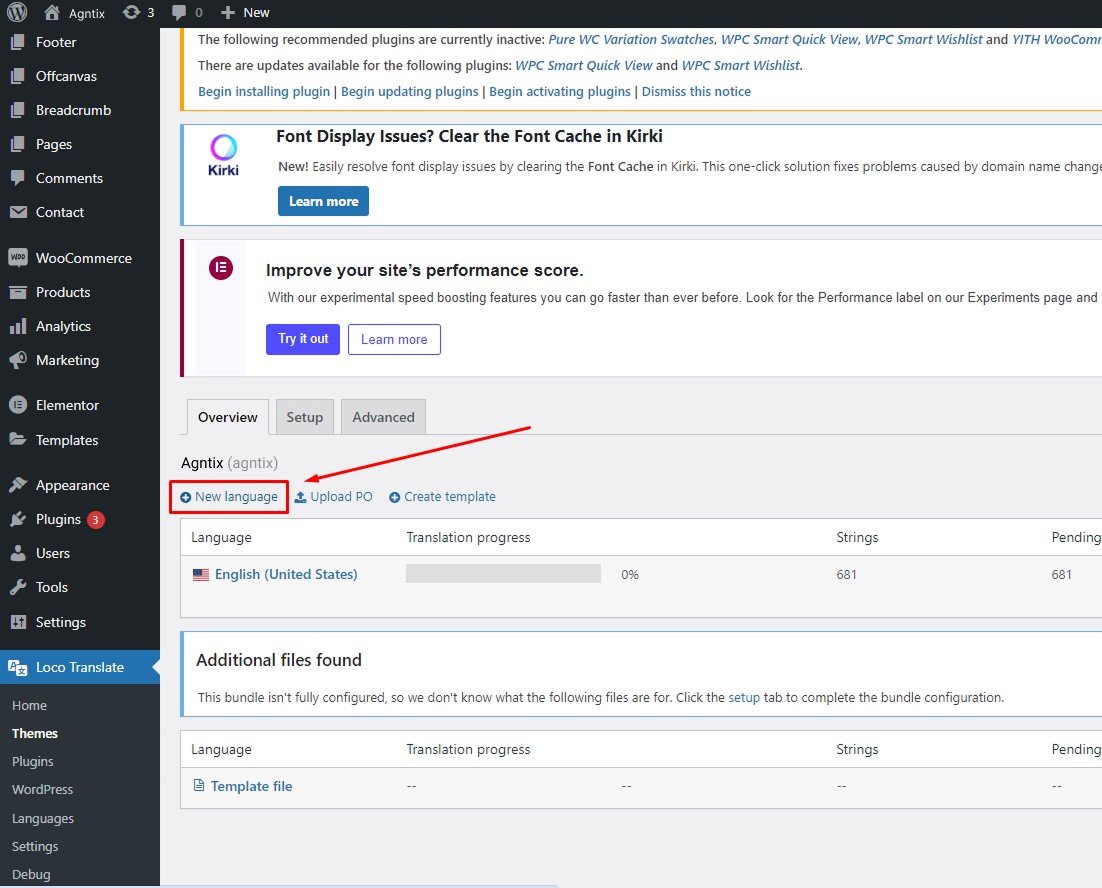
Step 3: Click "New language"
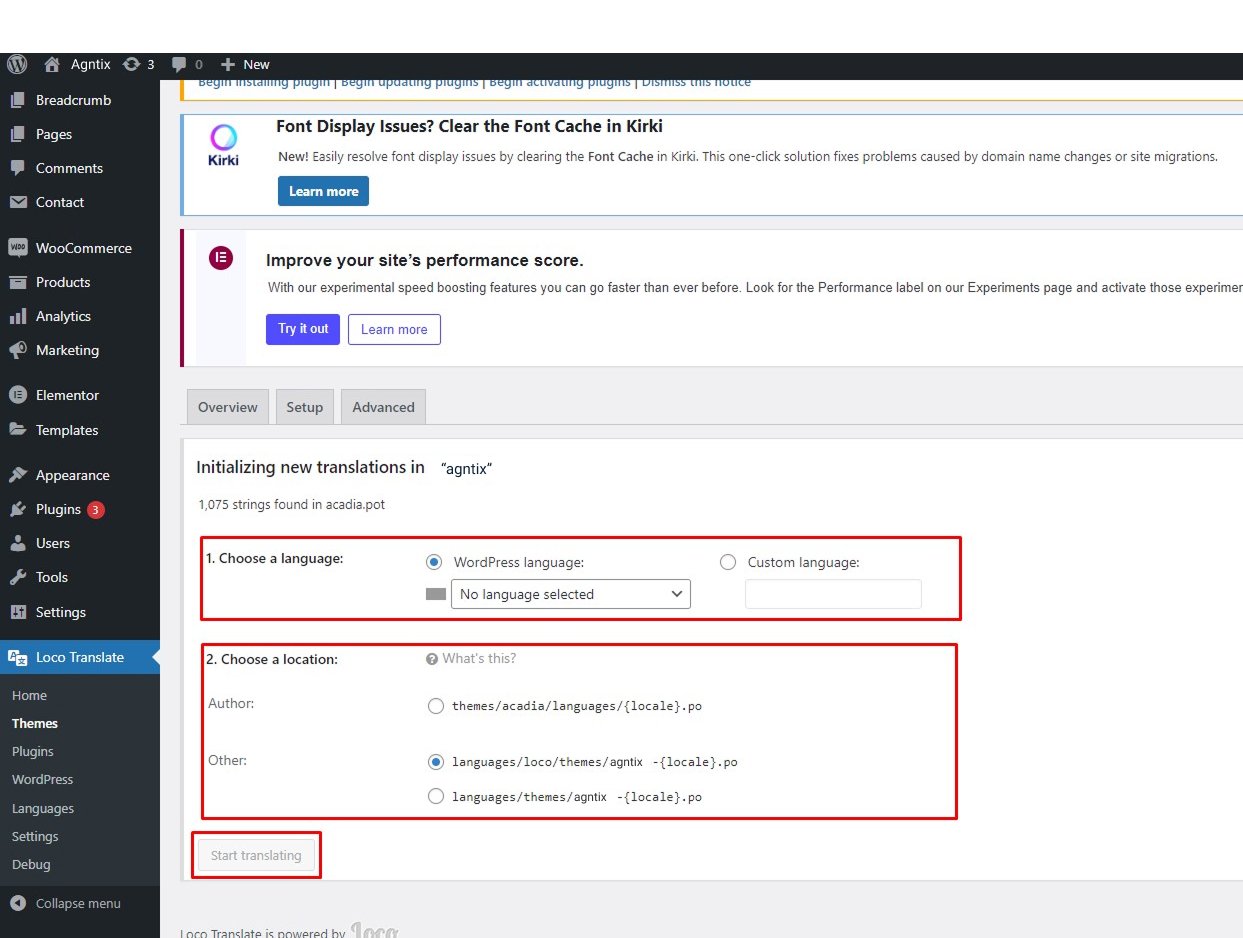
Step 4: Select language and start translating
Select your preferred language, choose location as "System", then click "Start Translating".
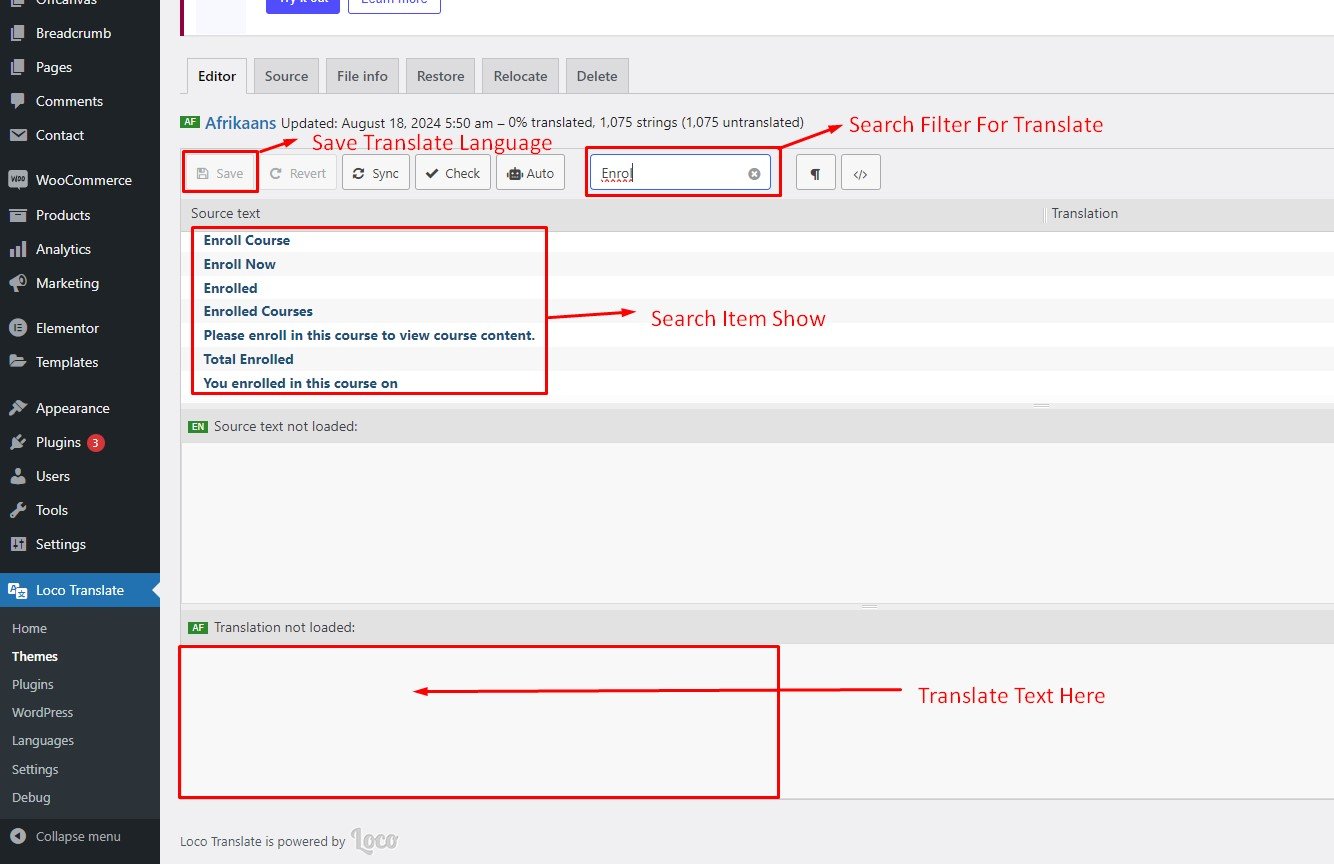
Loco Translate — Video Tutorial
Multilingual & Translation with TranslatePress
Here is a step-by-step tutorial for translating pages manually using the plugin "TranslatePress Multilingual":
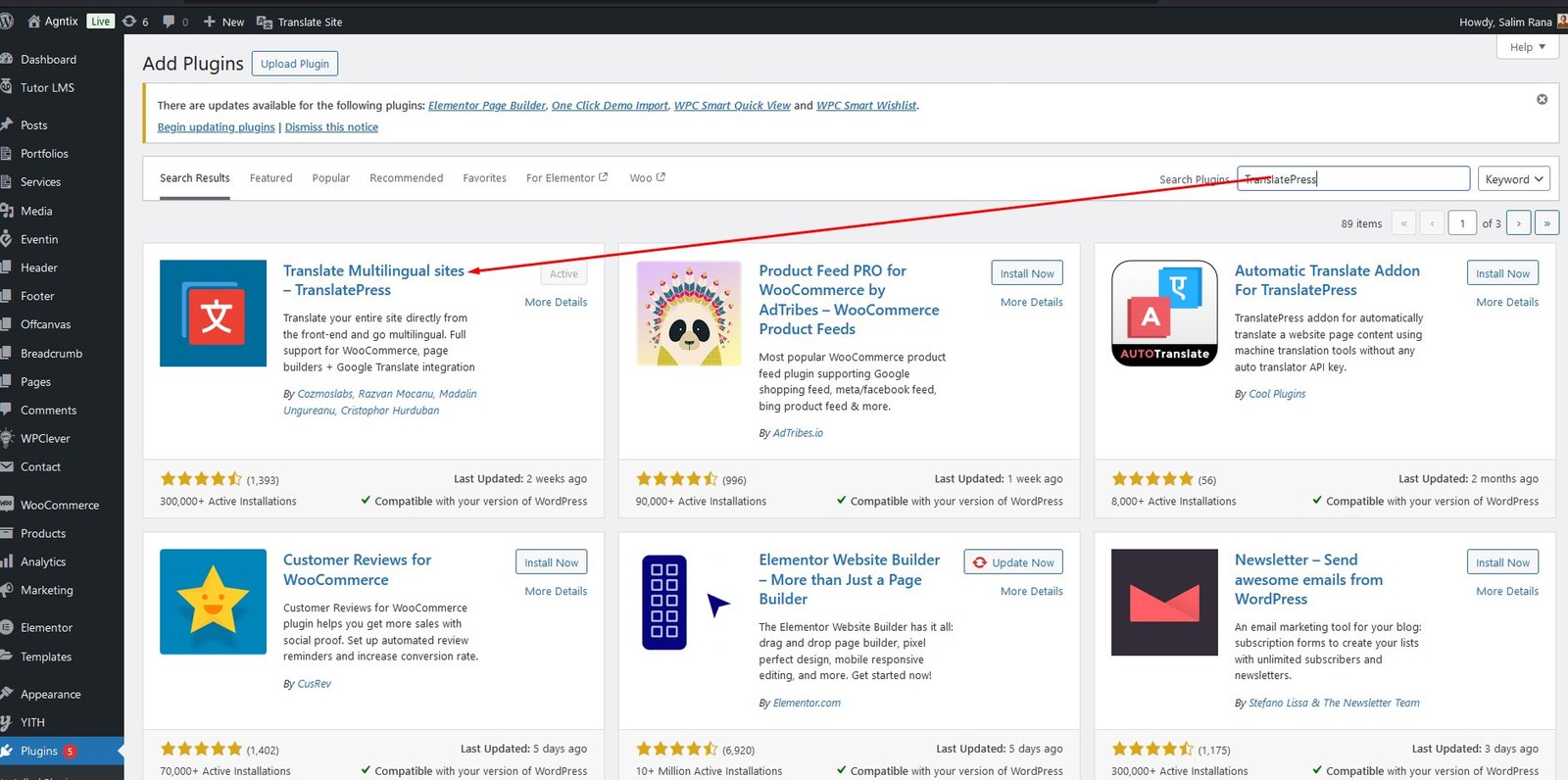
Step 1: Install and activate TranslatePress
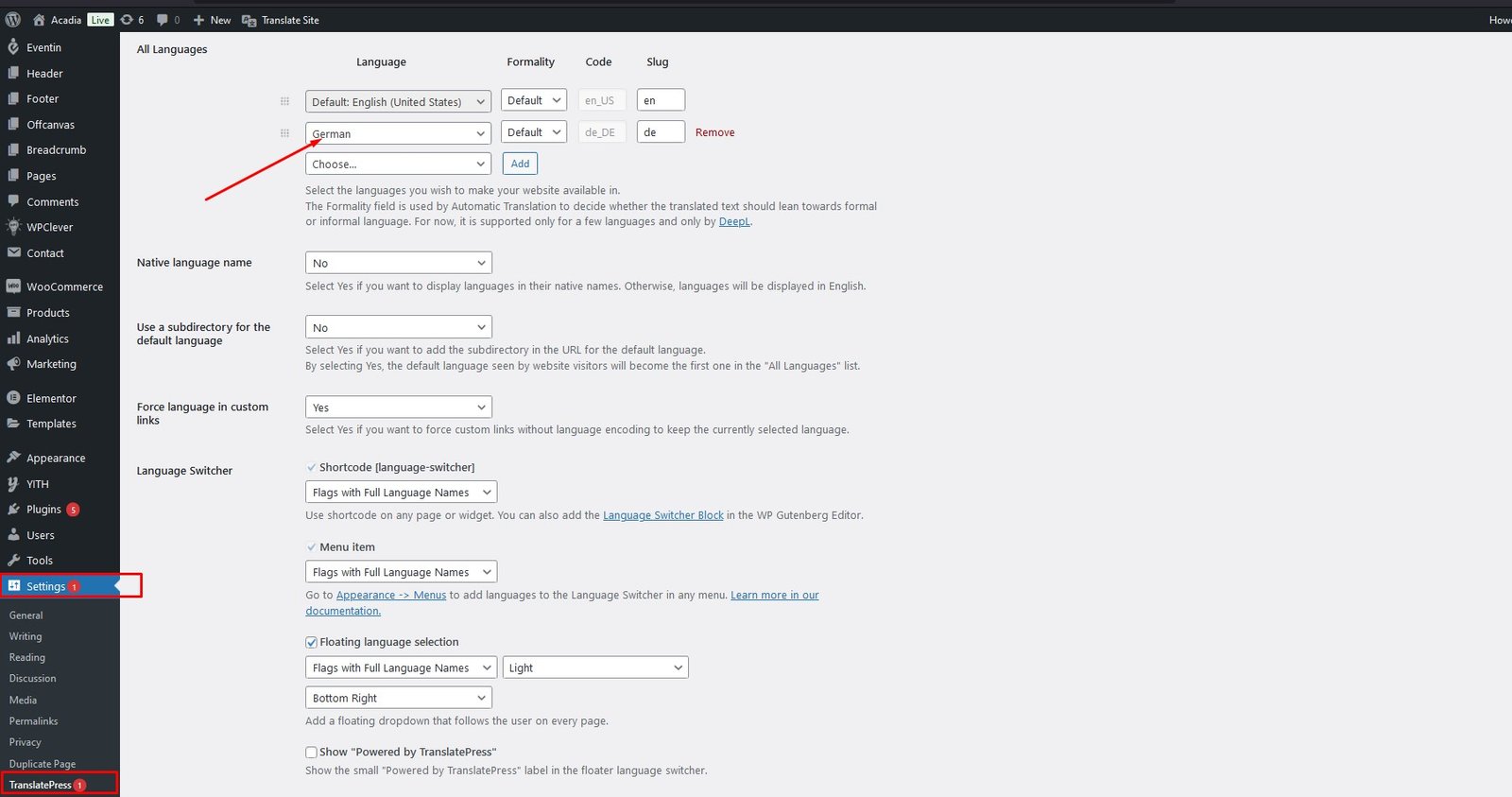
Step 2: Configure TranslatePress Settings
Go to TranslatePress Settings, select another language and click "Save".
TranslatePress — Video Tutorial
404 Error in All Pages
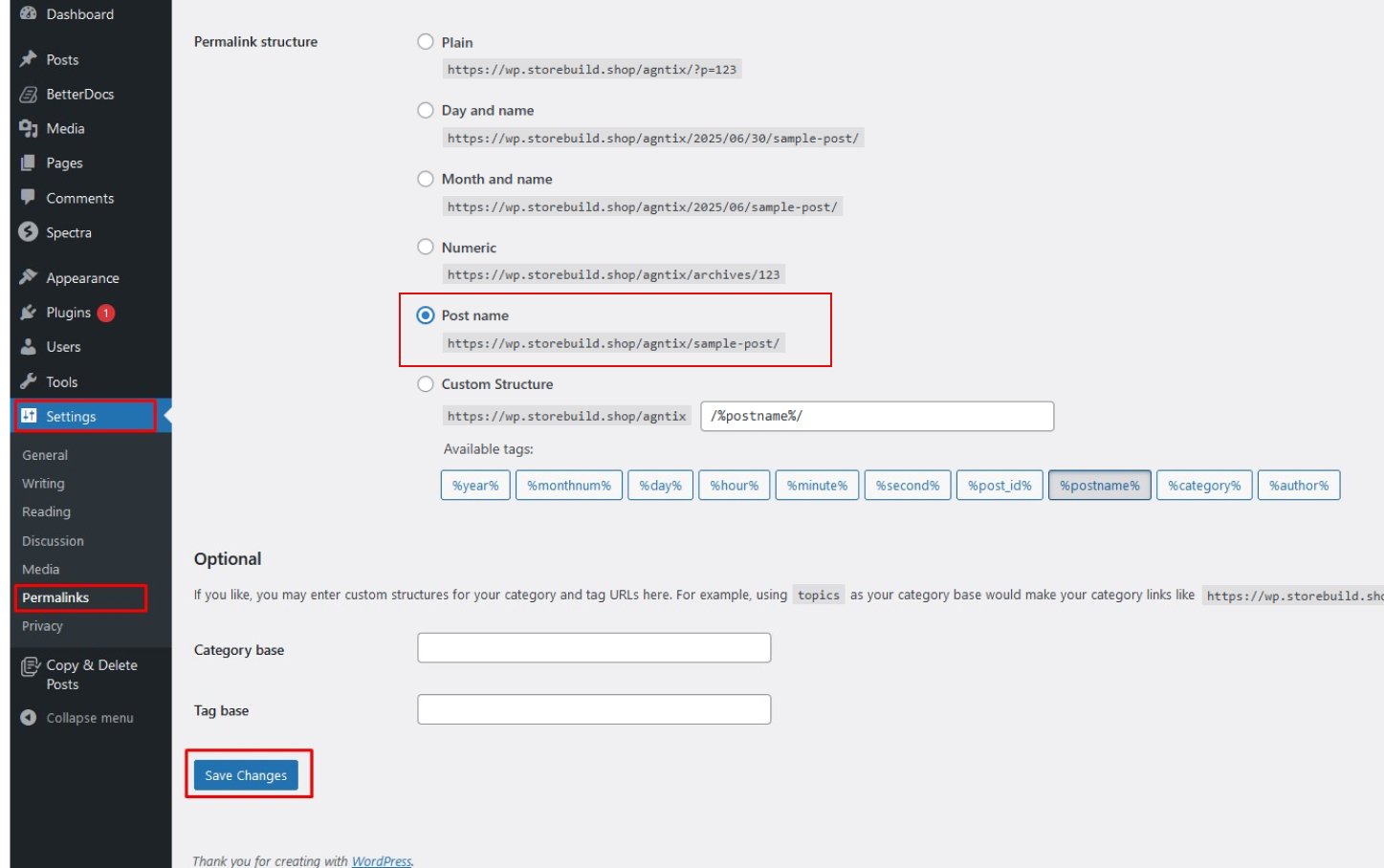
If you face 404 errors across all pages (this is common after demo import), the fix is to update your permalink structure.
Navigate to Settings → Permalink and click the "Save Settings" button. This refreshes your WordPress permalink structure and resolves the 404 issue.
Changelog
Every release in chronological order — newest first.
- UPDATE Updated all latest plugins
- FIX Fixed Theme color Control
- UPDATE Updated all bundled plugins to their latest versions
- IMPROVED Compatibility with the latest version of WordPress
- FIX Fixed minor theme issues and bugs
- NEW Initial Release of Finzo WordPress Theme
Contact Support
If you face any issue please don't hesitate to contact us. We provide 13 hours real-time support for our customers. Thank you for purchasing our theme.
Open a Support Ticket
Submit a ticket at our support center for personalized help. 13 hours real-time support.
Submit a ticketWatch Video Tutorials
Hands-on video screencasts for every major feature on our YouTube channel.
Browse YouTubeThemeForest Portfolio
Check our ThemeForest portfolio for more premium WordPress themes.
Visit ThemeForest