Theme Options
Configure back to top, preloader, 404 page, slug settings and Elementor widget options for your Finzo theme.
Back To Top
To configure the Back To Top button, navigate to Dashboard → Finzo Customizer Back To Top.
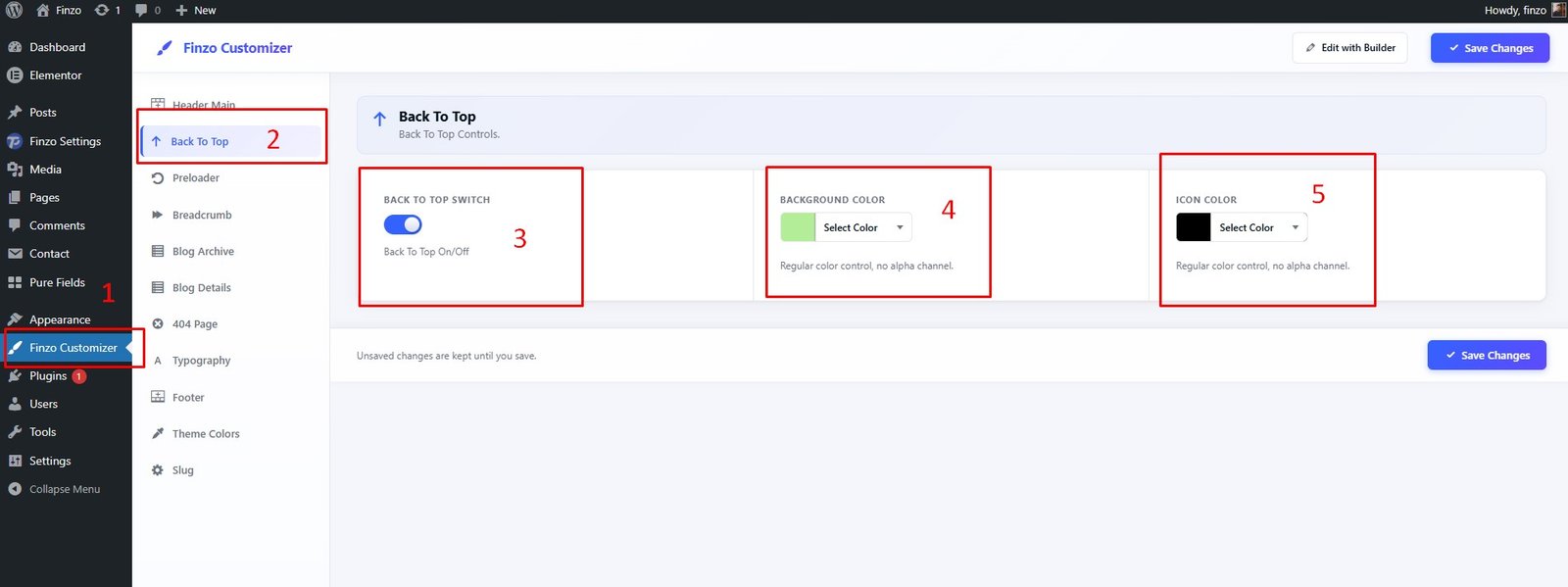
Features available:
- ✅ 1. Click on Finzo Customizer
- ✅ 2. Select Back To Top
- ✅ 3. Back To Top Switch (enable/disable)
- ✅ 4. Back To Top Background Color
- ✅ 5. Back To Top Text Color
Preloader Settings
To configure the Preloader, navigate to Dashboard → Finzo Customizer Preloader.
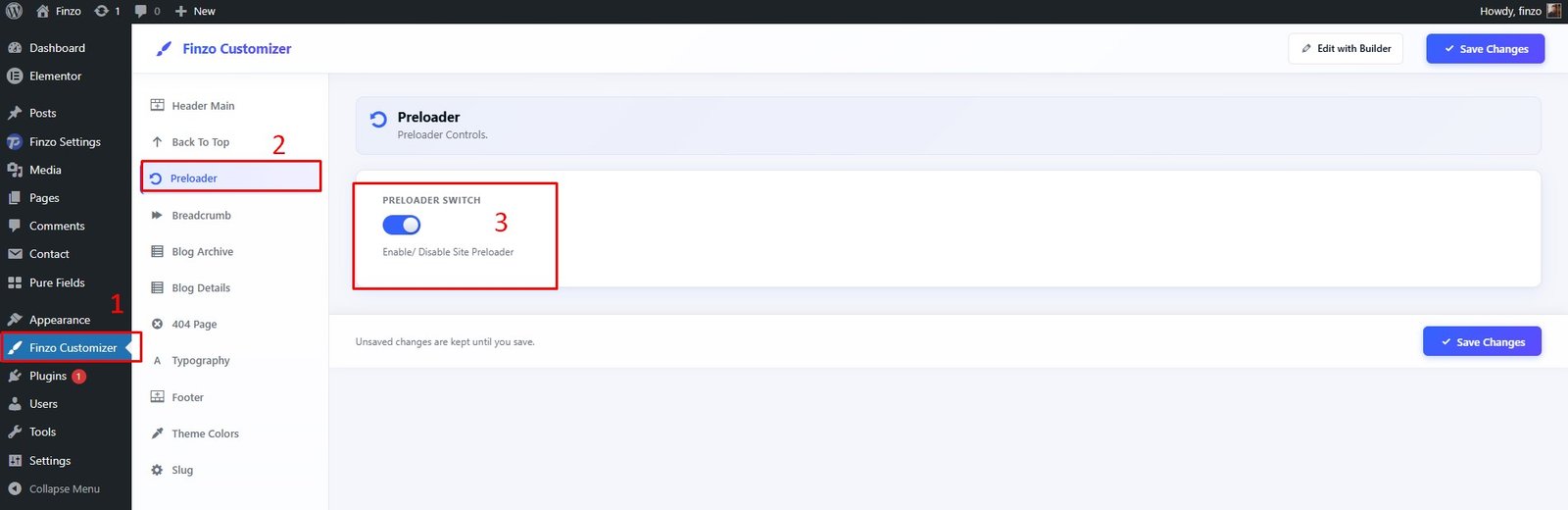
Features available:
- ✅ 1. Click on Finzo Customizer
- ✅ 2. Select Preloader
- ✅ 3. Preloader Switch (enable/disable)
404 Page
To configure the 404 Page, navigate to Dashboard → Finzo Customizer → 404 Page.
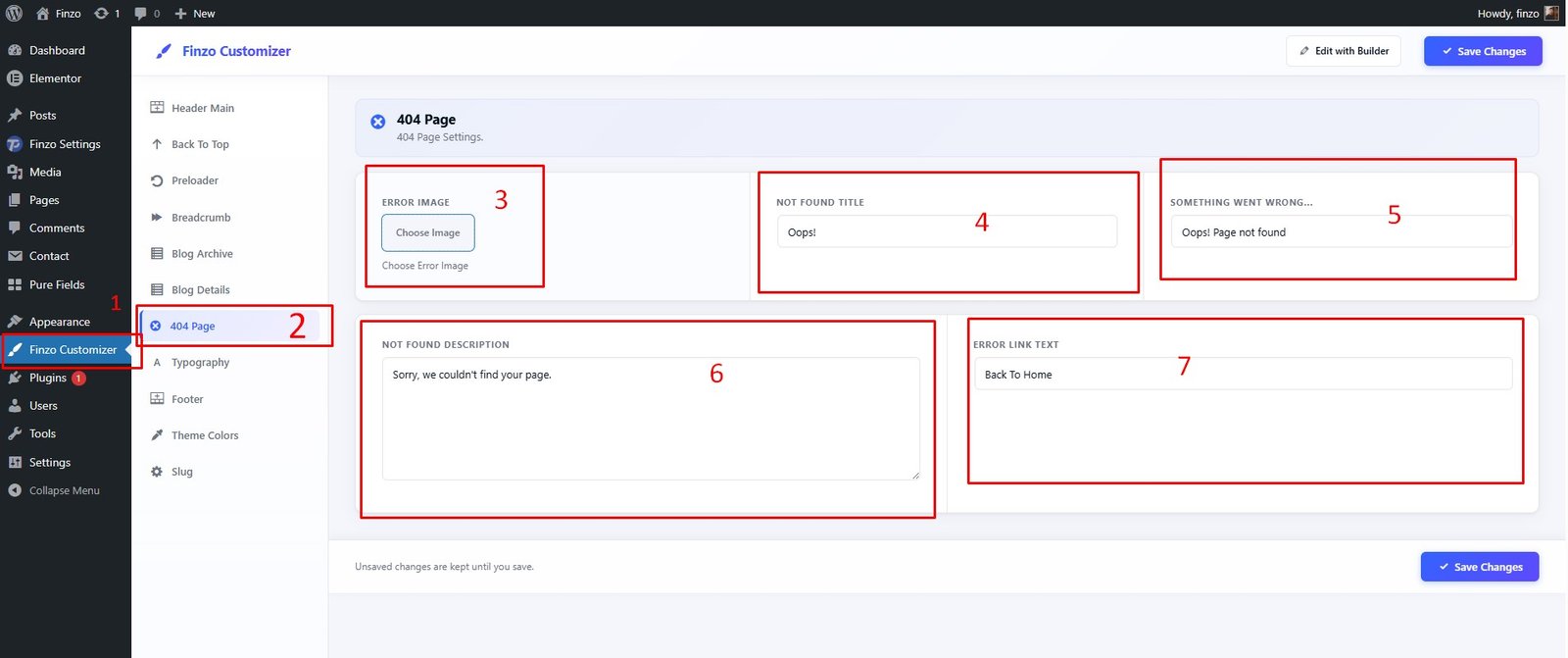
Features available:
- ✅ 1. Click on Finzo Customizer
- ✅ 2. Select 404 Page
- ✅ 3. Image Selection
- ✅ 4. Not Found Title
- ✅ 5. Something Went Wrong
- ✅ 6. Not Found Description
- ✅ 7. Error Link Text
If you see 404 errors across all pages after demo import, go to Settings → Permalink and click Save Settings to refresh your permalink structure. See also 404 Error Fix.
Slug Settings
To change custom post type slug settings, navigate to Dashboard → Finzo Settings → Settings.
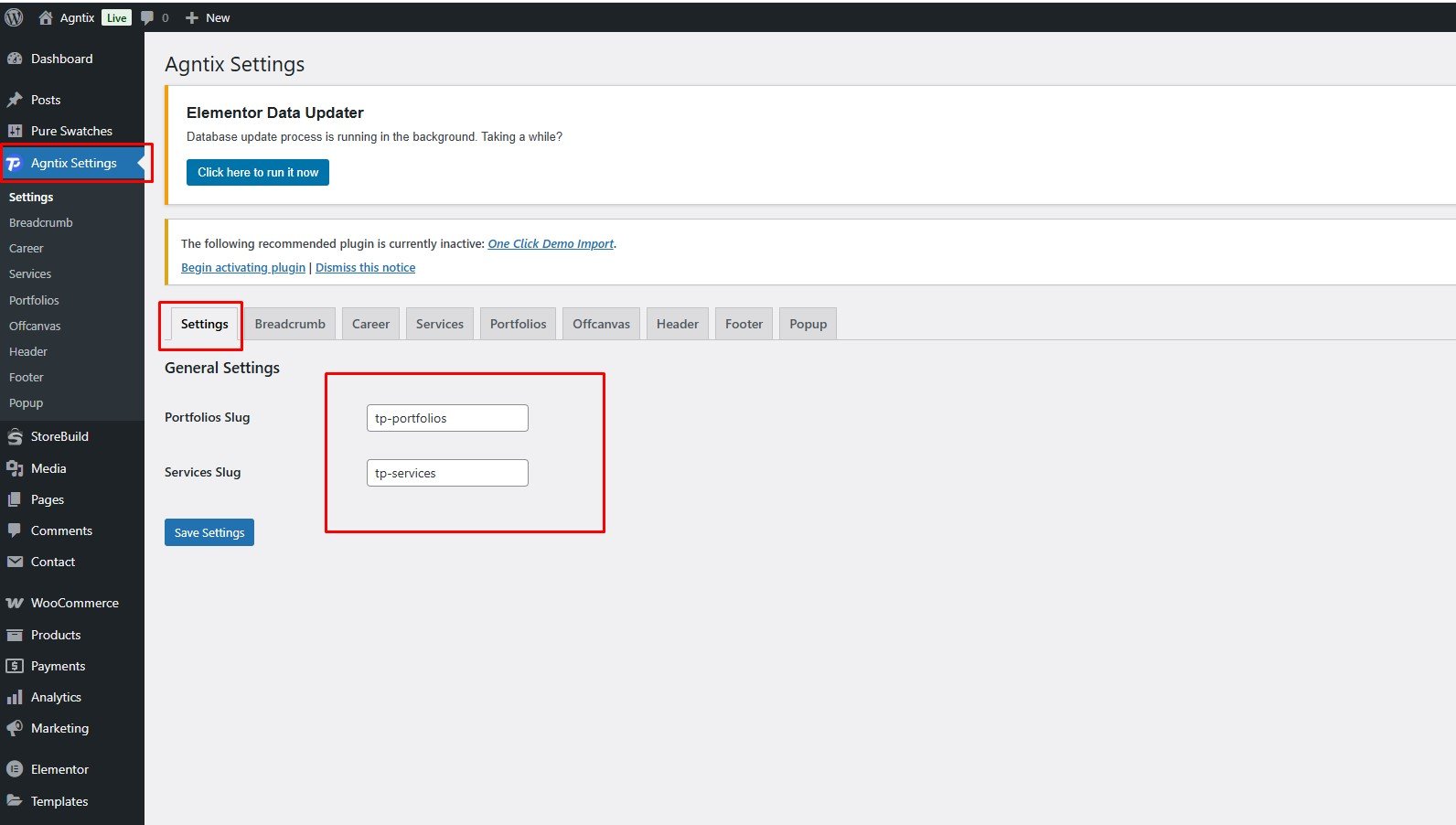
Features available:
- ✅ Custom Post Type Slug Changing Option (Portfolio, Services, etc.)
Elementor Widgets
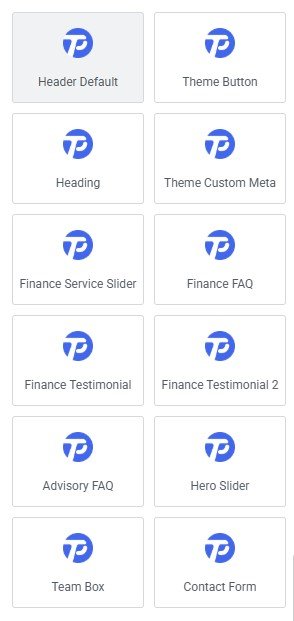
Elementor Page Builder has many built-in widgets by default. Finzo provides several custom Elementor Widgets you can use to extend your website's functionality. You can find them under the FinzoCore section in Elementor's widget panel.
Elementor Big Icon Issue
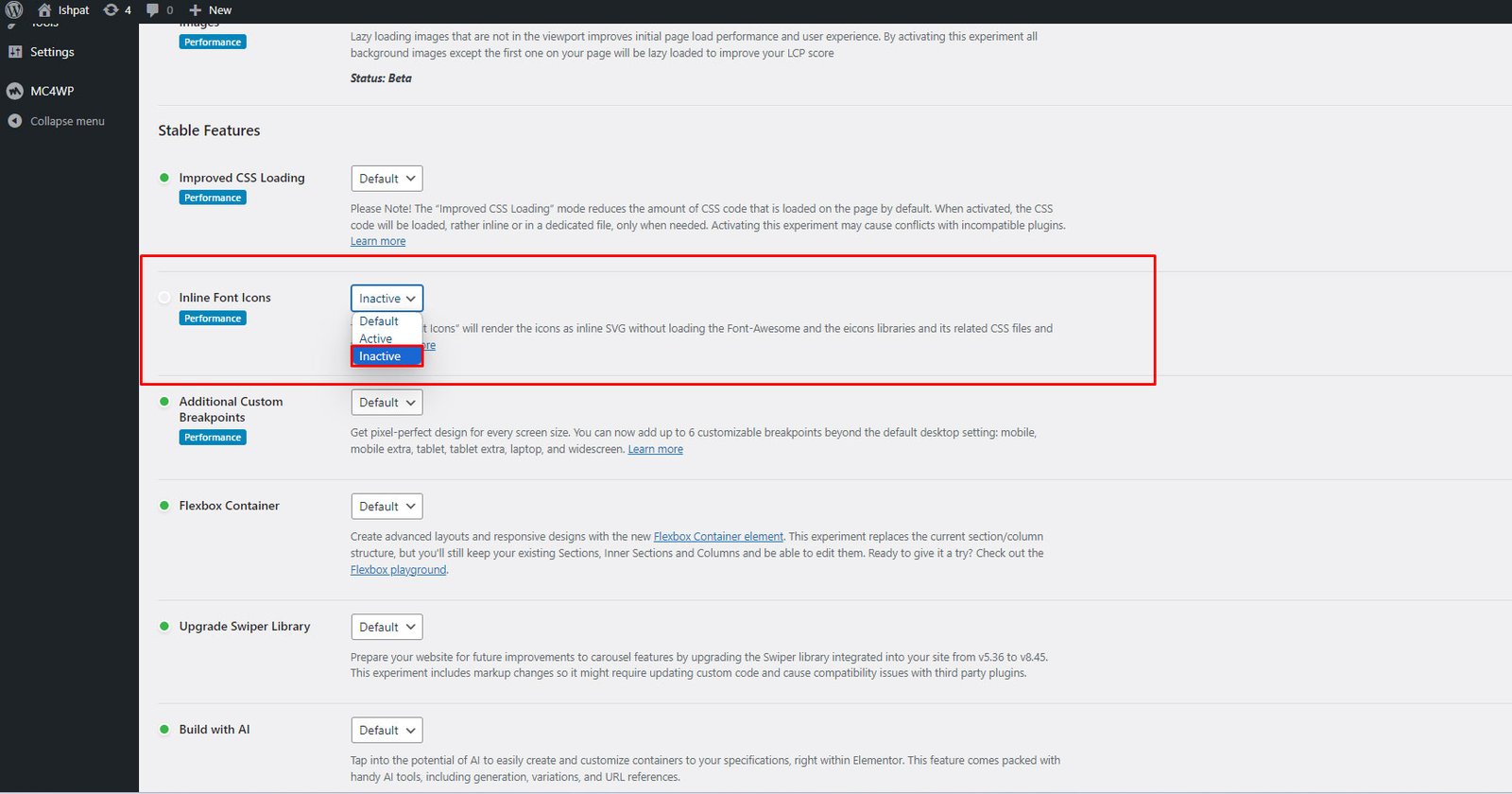
To solve the Elementor Icon SVG size issue, navigate to Dashboard → Elementor → Settings → Features → Inline Font Icons and make it inactive.